
4 min read
Does My Document Qualify for Online Notarization?
Most Florida documents can be notarized online — here are the ones that still need ink.
Remote Online Notarization · March 9, 2026 · 6 min read · By Evette Branch
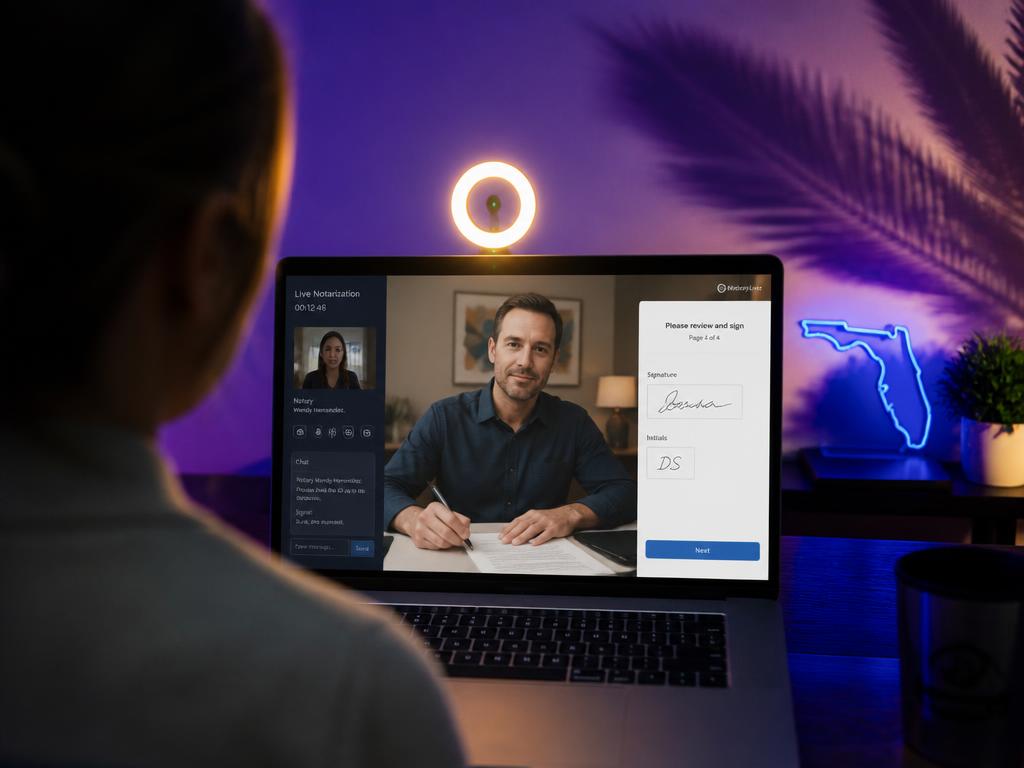
Remote Online Notarization has been fully legal in Florida since January 1, 2020, and for many clients it is now the fastest way to get a document completed — no travel, no waiting rooms, no shipping paper across the country. But most people book their first session without knowing what actually happens. Here is the whole sequence, in order.
You schedule a session and send the unsigned document ahead of time, usually as a PDF. The document is loaded into the RON platform and the signature, initial, and notary fields are placed before you ever log in. Nothing is signed before the session — the platform will not allow it.
If your document has specific witness requirements or unusual certificates, this is the moment to flag them. A minute of review before the session prevents a restart during it.
Florida requires two layers of identity verification before the notary can proceed. The first is credential analysis: you photograph the front and back of your government-issued photo ID with your phone or webcam, and the platform checks the document's security features and validity in seconds.
The second is knowledge-based authentication — a short quiz of five multiple-choice questions drawn from your public and credit records, things like past addresses or vehicle registrations. You get two minutes and, by law, two attempts within 48 hours. It sounds intimidating; in practice most people pass in under two minutes.
Once your identity is verified, the notary joins you in the recorded video session. We confirm that you are signing willingly, that you are aware of what the document is, and that you are not being pressured by anyone. You then apply your electronic signature while we watch on camera, and the notary seal and certificate are applied electronically at the same moment.
The entire live portion of a single-document session usually runs ten to fifteen minutes.
You receive the completed, tamper-evident PDF by email immediately — any later alteration to the file visibly breaks its digital seal. Florida law also requires the audio-video recording and the session's audit trail to be retained securely for years afterward, so the notarization can be verified long after the fact if it is ever questioned.
A laptop, tablet, or smartphone with a working camera and microphone, a stable internet connection, your unexpired photo ID, and a quiet fifteen minutes. That is the whole list. If you can join a video call, you can complete a RON session — and we walk every first-time client through it screen by screen.
4 min read
Most Florida documents can be notarized online — here are the ones that still need ink.
4 min read
The difference between mobile and remote online notarization, and how to choose.
Mobile and remote appointments across Manatee, Sarasota, and Hillsborough Counties.